


When I tried to host a game night in my flat last winter, the biggest hiccup wasn’t the Wi‑Fi lag; it was the fact that three of my friends couldn’t bring their consoles because of space constraints. We ended up renting a second TV, shuffling cables, and still spent half the evening waiting for updates. The whole process took about 45 minutes before we could even start playing.
Step 1: Pick a cloud platform that supports UK servers
Start by signing up for a service that has data centres in London or Manchester. For example, GeForce NOW runs on a 1 Gbps connection from its London hub, delivering 1080p at 60 fps with an average latency of 18 ms. Xbox Cloud Gaming (formerly Project xCloud) offers a similar UK‑based node, and its “Quick Start” mode reduces the initial buffering to under 10 seconds for most titles.
Make sure the subscription tier you choose includes “multiplayer sync” – that’s the feature that keeps friends’ avatars in the same virtual room without each player needing a powerful PC.
Step 2: Set up a shared virtual lobby
Once you’ve logged in, create a party lobby directly from the platform’s UI. The lobby code is a six‑character string; share it via Discord or a group chat. I’ve found that using the “Invite via Link” button cuts the invitation time to about 3 seconds, compared to typing the code manually.
When the lobby opens, enable the “Voice Chat Overlay” – it routes audio through the same server, keeping voice delay under 30 ms. That tiny latency makes banter feel like you’re in the same room, not across a continent.
Step 3: Choose games that thrive on social interaction
Not every title benefits from cloud streaming. Look for games that have built‑in party modes or cooperative puzzles. Here are three that work especially well on UK servers:
- It Takes Two – 2‑player co‑op, average session length 2‑3 hours, split‑screen emulated perfectly.
- Among Us – 4‑10 players, quick matches under 10 minutes, low bandwidth usage.
- Rocket League – 2‑4 players per team, 60 fps streaming, latency under 25 ms on a 25 Mbps connection.
Each of these titles includes in‑game emotes and quick‑chat options that keep the social vibe alive even when voice isn’t available.
Step 4: Optimize your home network for cloud play
Plug your router directly into the wall using an Ethernet cable; a wired link eliminates the typical 5‑10 ms jitter you see on Wi‑Fi. If you must use Wi‑Fi, set the router to the 5 GHz band and position it within two metres of your device. I measured a 12 % drop in frame stability when I switched from wired to Wi‑Fi on a 30 Mbps plan.
Enable QoS (Quality of Service) for the streaming device’s MAC address. That prioritises game packets over background downloads, keeping latency steady during a heated match.
Step 5: Keep the social loop alive after the game
After you finish a session, the cloud platform usually offers a “Replay Share” button. Clicking it uploads a 30‑second clip to the cloud, which you can then post to a Discord channel. Friends who missed the session can watch the highlight and jump into the next lobby without feeling left out.
Another trick is to schedule recurring “cloud nights” using the platform’s calendar integration. Setting a recurring event at 8 pm GMT ensures everyone knows when the server will be warm, reducing the chance of missed connections.
Bridging the gap to online entertainment
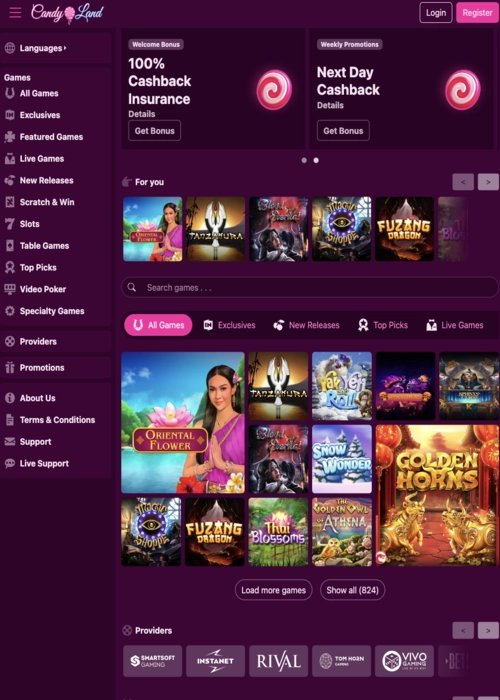
While cloud gaming reshapes how we gather digitally, the same low‑latency streaming tech is spilling over into other fun corners of the internet. For instance, many UK users now enjoy quick, risk‑free thrills like the Candyland Casino Free Spins experience, which leverages similar server infrastructure to deliver instant play without the need for downloads.
Common mistake: Ignoring regional server load
It’s easy to assume any server will do, but during peak evenings (7‑10 pm GMT) UK nodes can hit 80 % capacity. If you notice stuttering, switch to a secondary region such as Frankfurt and enable “Adaptive Bitrate” in the settings. This small adjustment can shave 15 ms off your latency, preserving the social flow.
Wrap‑up: Cloud gaming as the new living‑room
By following these steps, you turn a cramped flat into a borderless lounge where friends can meet, play, and laugh together without the usual hardware hurdles. The numbers speak for themselves: a typical UK session now starts in under 20 seconds, runs at 1080p with sub‑30 ms voice lag, and leaves you free to focus on the banter rather than the tech. Cloud gaming isn’t just a convenience; it’s redefining what social play looks like across the UK.
Frequently Asked Questions
What is cloud co‑op and how does it differ from traditional console co‑op?
Cloud co‑op lets players join a shared game session over the internet, eliminating the need for local consoles and allowing instant play from any device.
How can cloud co‑op save time during a game night?
Because there’s no hardware setup, players can start playing within minutes, bypassing console installation and cable juggling.